
Introducing Virtual Try-On API: Transform Online Shopping with AI-Powered Clothing Visualization
The fashion e-commerce industry faces a persistent challenge: customers can't try clothes on before buying online. This leads to high return rates, customer dissatisfaction, and lost revenue. Today, we're excited to announce our newest solution to this problem — the Virtual Try-On API.
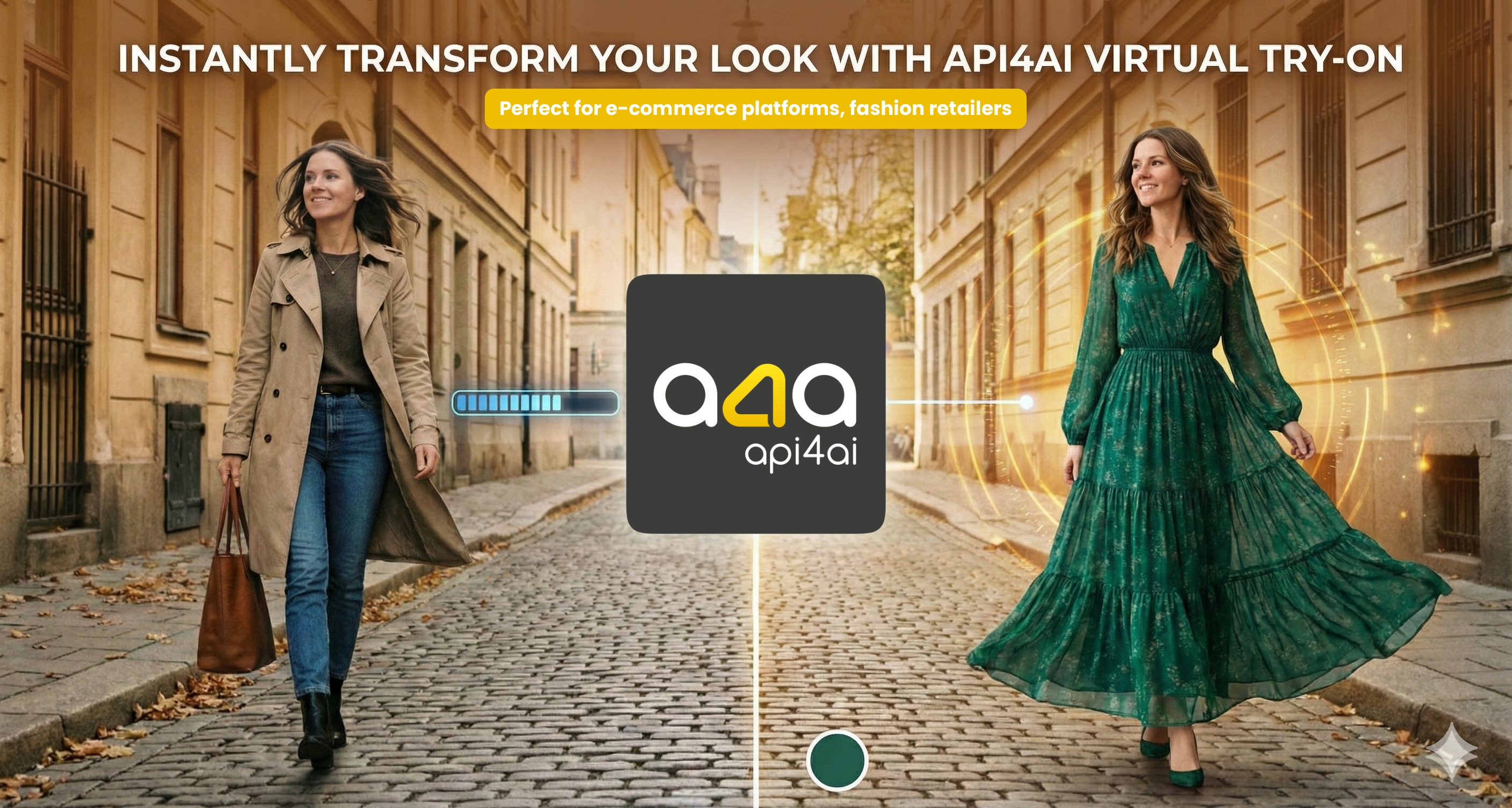
The Problem with Online Fashion Shopping
According to industry research, return rates for online clothing purchases can reach up to 40%, with "doesn't fit" or "doesn't look as expected" being the top reasons. Traditional product photos, while helpful, can't show customers how a garment will actually look on their body type.
This disconnect between expectation and reality costs retailers billions annually and creates friction in the customer journey. Until now, solving this problem required expensive photoshoots with multiple models or complex 3D modeling solutions.
Meet Virtual Try-On API
Our cloud-based Virtual Try-On API uses advanced deep learning algorithms to seamlessly blend garments onto model photos, preserving natural poses and body proportions. Simply provide a photo of a person and an image of the apparel — our AI handles the rest.
Key Features
🎯 Natural-Looking Results
Our algorithm preserves body proportions, poses, and natural appearance. The result looks like an authentic photograph, not an awkward digital overlay.
👗 Versatile Garment Support
Supports various garment types including tops, dresses, and outerwear. Whether it's a casual t-shirt or an elegant evening dress, our API handles it with precision.
⚙️ Customizable Output
Accept an extra prompt to adjust the image generation process, giving you fine-grained control over the final result.
☁️ Cloud-Based & Scalable
Fully cloud-based solution guarantees high reliability and uptime, ensuring consistent performance whether you're processing 10 images or 10,000.
Real-World Use Cases
E-commerce & Marketplaces
Boost conversion rates and drastically reduce returns by allowing shoppers to visualize how apparel fits on realistic models. When customers can see how clothes look on a body similar to theirs, they make more confident purchasing decisions.
Virtual Wardrobe & Styling Apps
Drive user engagement by empowering fashion enthusiasts to mix, match, and curate outfits on digital avatars. Perfect for personal styling apps and fashion discovery platforms.
Digital Catalog Creation
Streamline content production by generating professional on-model photography from flat clothing images instantly. What used to require expensive photoshoots can now be done in seconds via API.
Getting Started
Integrating Virtual Try-On into your application is straightforward. Here's how simple it is to get started:
Quick Test with cURL
$
curl -X "POST" \
  "https://demo.api4ai.cloud/virtual-try-on/v1/results" \
  -F "url=https://static.api4.ai/samples/virtual-try-on-person-1.png" \
  -F "url-apparel=https://static.api4.ai/samples/virtual-try-on-apparel-1.png"
👉 Full Bash/cURL example on GitLab
Python Integration
import requests import base64# API endpoint url = 'https://api4ai.cloud/virtual-try-on/v1/results' headers = {'X-API-KEY': 'your-api-key'}
# Send request with person and apparel images response = requests.post( url, headers=headers, data={ 'url': 'https://static.api4.ai/samples/virtual-try-on-person-1.png', 'url-apparel': 'https://static.api4.ai/samples/virtual-try-on-apparel-1.png' } )
# Get the result image result = response.json()['results'][0]['entities'][0] image_data = base64.b64decode(result['image'])
# Save the result with open(f"result.{result['format'].lower()}", 'wb') as f: f.write(image_data)


👉 Full Python example on GitLab
Node.js Integration
const axios = require('axios'); const FormData = require('form-data');const form = new FormData(); form.append('url', 'https://static.api4.ai/samples/virtual-try-on-person-1.png'); form.append('url-apparel', 'https://static.api4.ai/samples/virtual-try-on-apparel-1.png');
axios.post('https://api4ai.cloud/virtual-try-on/v1/results', form, { headers: { 'X-API-KEY': 'your-api-key', ...form.getHeaders() } }).then(response => { const result = response.data.results[0].entities[0]; // Process the base64-encoded result image console.log('Image format:', result.format); });
👉 Full Node.js example on GitLab
Flexible Input Options
The API accepts images in multiple ways to fit your workflow:
| Parameter | Description |
|---|---|
url |
URL to the person image |
image |
Person image as file upload |
url-apparel |
URL to the garment image |
image-apparel |
Garment image as file upload |
Mix and match — use URLs for one image and file upload for another, whatever suits your application best.
Why Choose API4AI Virtual Try-On?
✅ Plug-and-Play Solution — No ML expertise required. Just call the API and get results.
✅ Battle-Tested Algorithm — Designed to handle variations in lighting, poses, and image quality.
✅ Multiple Access Options — Available directly through API4AI platform or via RapidAPI marketplace.
✅ Comprehensive Examples — Ready-to-use code samples for your favorite language:
| Language | Library/Framework | Example |
|---|---|---|
| Python | requests | View example |
| Python | aiohttp | View example |
| JavaScript | fetch | View example |
| JavaScript | Axios | View example |
| JavaScript | jQuery | View example |
| Node.js | Axios | View example |
| PHP | cURL | View example |
| C# | RestSharp | View example |
| Bash | cURL | View example |
✅ Free Demo Mode — Try the API instantly without signing up (rate-limited for testing purposes).
Start Building Today
Ready to enhance your fashion platform with AI-powered virtual try-on capabilities?
Virtual Try-On API is part of the API4AI family of computer vision APIs. Explore our other solutions including Background Removal, Image Anonymization, and Brand Recognition.
Questions? Reach out to us at hello@api4.ai or via Telegram @a4a_support_bot.