
At ten photos a day, removing backgrounds is a task. At five hundred, it's a production line, and the questions change. It's no longer "can this tool cut out a shoe?" but "how many of today's photos can go straight through, how do we find the ones that can't, and what does each one cost?"
This guide is for editing studios, e-commerce teams and marketplaces at that volume. It covers where an automatic first pass fits, which photos still need a person, and what the numbers look like per image.
The first pass: let the API take the easy majority
Most catalog and marketplace photos are not hard. A product on a table, a person against a street, a car in a car park: the object is clear, the edges are sharp, and the background is visibly different from what's in front of it.
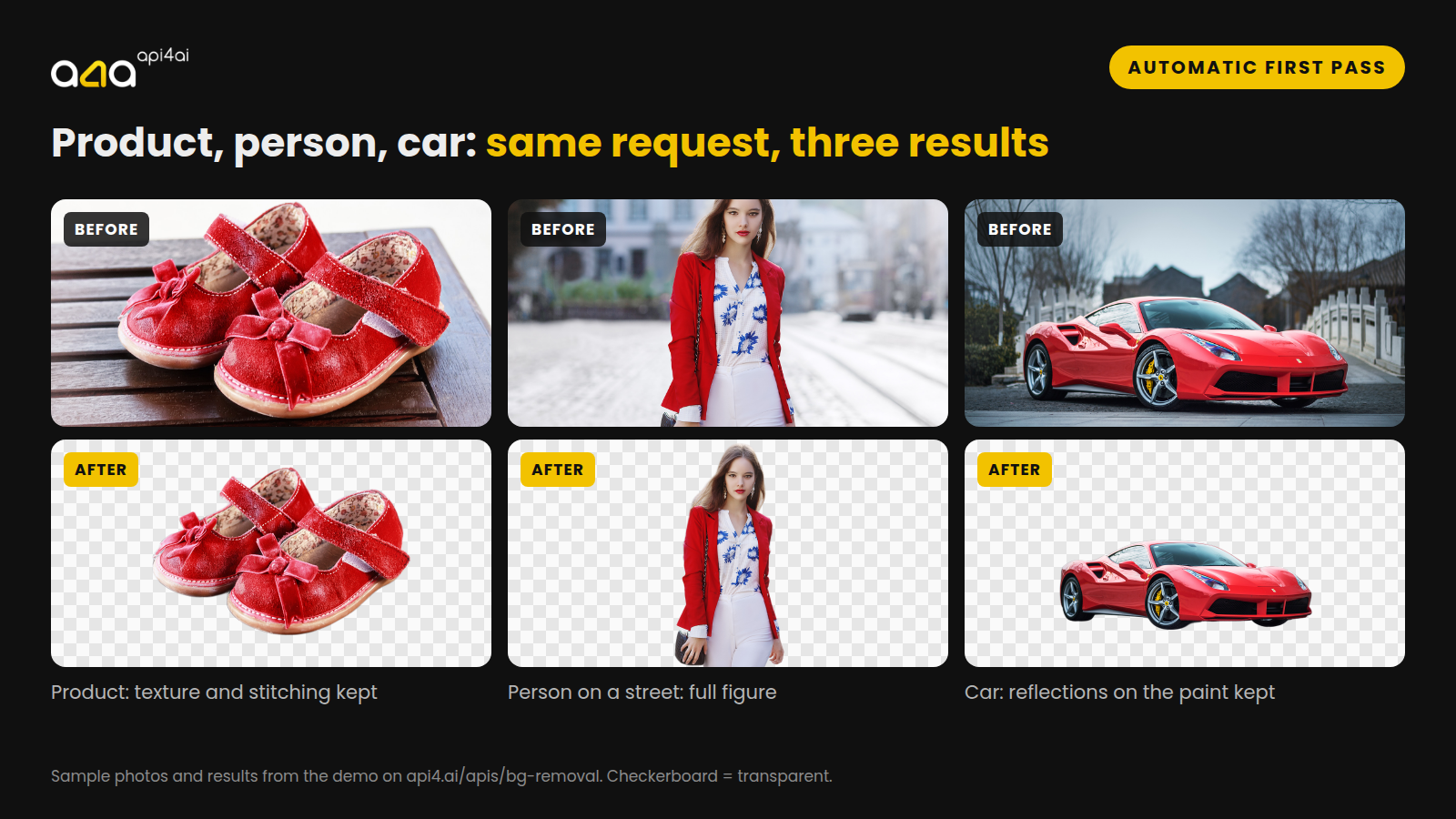
Those are exactly the photos an API handles well, and it handles them the same way at photo 5 and at photo 500. The Background Removal API takes a JPEG or PNG and returns a PNG with a transparent background, or a black-and-white mask if you'd rather apply the cut yourself. It can also put a background of your own behind the object in the same request.
Three versions are tuned for different subjects:
| Photos of | API | List price |
|---|---|---|
| Products and general objects | Background Removal | $5 per 1,000 images |
| People | People Background Removal | $15 per 1,000 images |
| Cars | Car Background Removal | $30 per 1,000 images |
All three are pay-as-you-go on the API4AI developer portal, with no subscription. Vy the way, detailed guide covering Car background removal and replacement is described in the Car Photo Background article.
The photos that still need a person
Some photos are hard for any tool, automatic or human. The point of a first pass isn't to pretend otherwise. It's to make the hard ones a short, known list instead of a surprise in the published catalog.
Hair and fur. Long hair against a plain sky usually comes back clean. Very fine flyaway strands, curls against a busy background and animal fur are where edges get simplified. If hair is what sells the product, as with wigs, knitwear, models' portraits or pet products, check those first.
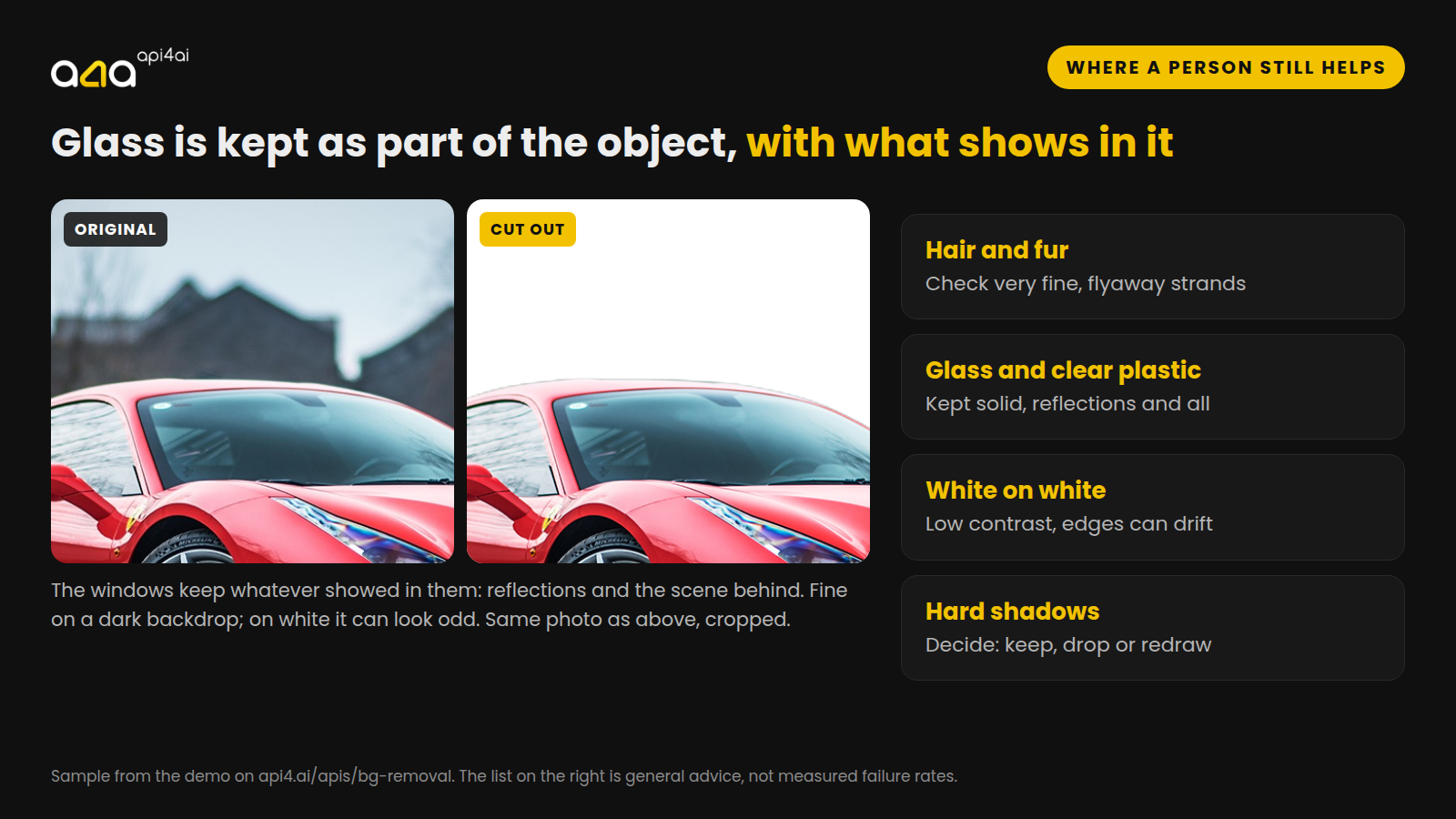
Glass and clear plastic. A cutout keeps the glass as part of the object, along with whatever shows in it: reflections and the scene behind. The car in the figure above keeps its windows exactly as photographed. On a dark backdrop nobody notices; on white, a window full of trees can look odd. Bottles, glasses and windscreens belong on the review list.
White on white. A white shirt photographed on a white sweep has almost no contrast at the edge, so the line between product and background has to be guessed. Shoot white products on grey if you can.
Hard shadows. A strong shadow under a product is neither object nor background. Decide once whether your catalog keeps shadows, drops them or adds its own, then check the photos where the shadow is part of what you see.
Several objects, one product. A model holding a bag and a coffee gets all three cut out. Only you know which one is for sale.
How to find them without looking at every photo
Nobody is going to open 500 cutouts a day. The trick is to let the results flag themselves. A few cheap checks on each returned image catch most of the photos worth a look:
Almost nothing kept, or almost nothing removed. Both usually mean the model didn't find the subject you expected.
The subject touches the edge of the frame. Either the product was cropped in the photo, or part of the background was kept.
Lots of semi-transparent pixels. Soft edges are normal around hair; a lot of them is a sign of glass, smoke, lace or a blurry subject.
The service said no. A photo it can't read, such as a corrupted file or one above the size limit, comes back with a failure status and a reason. Log those; don't let them disappear.
Run those checks automatically and you get a short review list instead of a folder of 500. Tomorrow's developer tutorial does exactly that in about 100 lines of Python.
What a cutout costs per image
At 500 photos a day, about 15,000 a month, the API list prices work out to:
Products: 15,000 × $0.005 = $75 a month
People: 15,000 × $0.015 = $225 a month
Cars: 15,000 × $0.03 = $450 a month
For comparison, published price lists for manual clipping start at about $0.50 per image for simple shapes and reach several dollars for complex ones, and a person doing it in-house costs whatever their minutes cost. The difference is large, but it isn't the whole story: an editor also retouches, fixes colour and makes judgement calls an API doesn't make.
The useful way to think about it is not "API or people" but "API first, people for the list". If the first pass clears most of the day's photos, editors spend their time on the ones that need them.
Volume changes the price too. Above a few thousand images a day, ask for a quote: it depends on volume and on what's in the photos.
Where to start
Try your hardest photos first. The demo on the Background Removal page takes any JPEG or PNG. Try the white shirt, the glass bottle and the curly-haired model before the easy ones.
Run a day's batch. Get an API key on the portal (no credit card needed) and send one real day of photos through.
Count. How many went straight through, how many were flagged, and how long the flagged ones took to fix. That ratio is the number that decides whether it pays off for you.
Try it on your own photos: api4.ai/apis/bg-removal · for a volume quote, write to hello@api4.ai.